Home Sense
Home Sense is a mobile interior planning concept that combines AI-generated recommendations with augmented reality. It helps users discover their interior style, plan a room and see suitable furniture in their own space before making a purchase.
AI
Augmented Reality
UX/UI Design
User Research

Timeline
March - June 2023
Tools
Figma
My Role
User Research, UX/UI Design, Concept Development, Prototyping and User Testing
Collaborator
Theresa Kugler
Context
Planning a room can be time-consuming, especially for people who find it difficult to define their style or imagine how furniture will look in their own space. Existing room planners allow products to be placed virtually, but often require users to make most design decisions themselves.
Home Sense explores how AI and augmented reality could support this process. The app generates interior suggestions based on the room, personal preferences and existing furniture.
Users can then view and adjust the result directly inside their space.

Research
We followed the Double Diamond process and began with secondary research, competitor analysis and interviews.
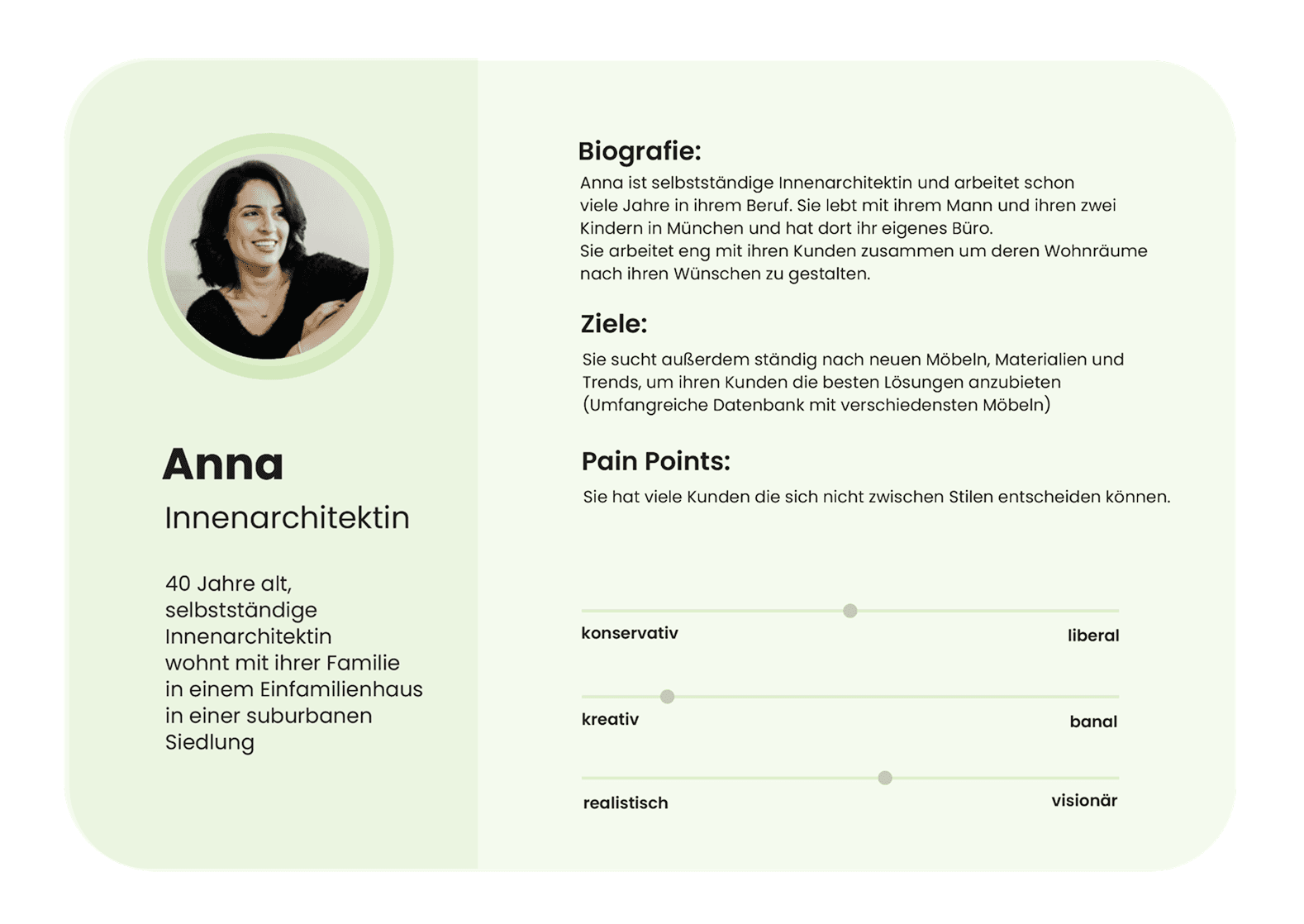
We interviewed four potential users about how they plan rooms, search for inspiration and buy furniture online. We also spoke with an interior designer to understand how professional room planning works.
The research showed that users care about harmony between furniture, materials and colours, but often struggle to define a consistent style. They wanted to compare products and prices, create moodboards and see furniture in context before buying it. AI-generated suggestions were considered helpful and time-saving. At the same time, participants wanted to keep control over the result and expressed concerns about uploading images or videos of their homes.


Concept
The main challenge was to provide useful guidance without limiting personal creativity. Home Sense therefore treats AI suggestions as a starting point rather than a final decision.
The user journey begins with defining an interior style. The room is then scanned, followed by the selection of a room type, colour palette and required furniture. Based on this information, the app creates a personalised proposal. Users can replace individual pieces, change colours, move or rotate furniture and request a completely new suggestion.
A Business Model Canvas was also developed to explore potential cooperation with furniture brands, virtual showrooms and a professional subscription for interior designers.

Branding
The name Home Sense combines the idea of a home with the ability to sense and recognise what fits within it.
A three-dimensional cube represents the spatial AR function. Mint and turquoise tones create a calm visual identity, while the geometric Poppins typeface keeps the interface clear and modern.

Prototyping
We first mapped the main planning flow with paper prototypes. This allowed us to adjust the order of the steps before developing the interface in Figma.
For example, we decided to ask for the room type before showing inspiration images. This made it possible to adapt the suggested styles to the specific room from the beginning.
The resulting Figma prototype simulated the complete journey on a smartphone, including onboarding, room creation, product editing and shopping.

User Testing & Iteration
We tested the prototype with four participants on a smartphone. They were asked to find an armchair for their living room, try the “Surprise me” option, change its colour, move and rotate it and finally purchase all products placed in the room.
All participants completed the tasks without assistance and said they could imagine using the app. The tests still revealed several smaller issues. The bottom navigation was too small, some screens did not scroll correctly and a few links were missing.
Based on the feedback, we enlarged the navigation, revised the dashboard, fixed interaction problems and added missing screens for the virtual showrooms.
Final Design
The final prototype guides users through creating a room in a clear sequence. They first choose the room type and either connect a Pinterest board or select from visual references to define their preferred style.
The app then guides them through scanning the room, choosing a colour palette and selecting the types of furniture they need. A progress indicator keeps the current step visible throughout the process.

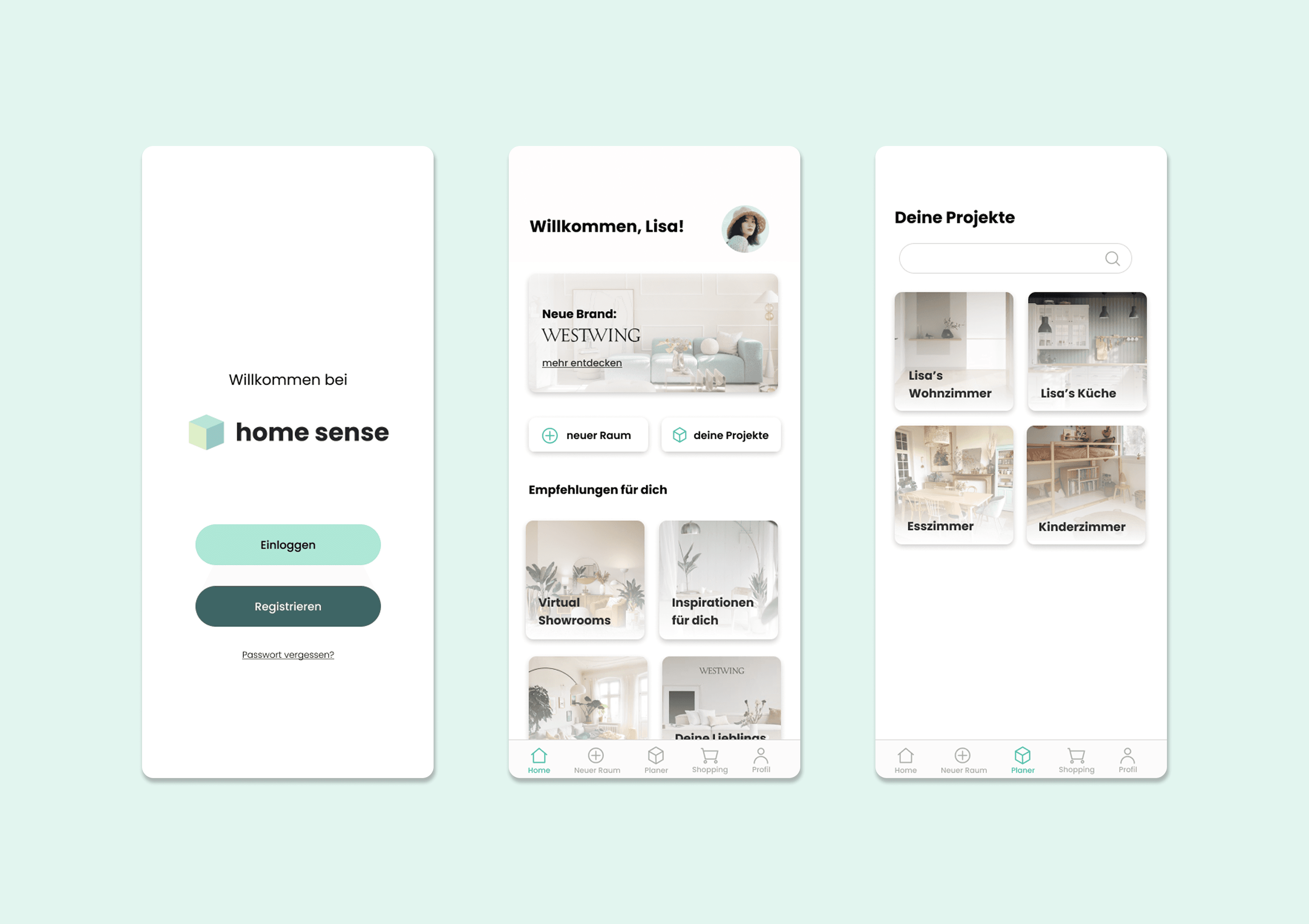
The generated room can be explored through AR. Individual products can be moved, rotated, recoloured, replaced or removed. A project overview collects the moodboard, colours, furniture and products in one place.
The shop can be browsed by room, product category or personalised recommendations. Products can also be tested directly inside an existing project before they are added to the cart.

Reflection
The project showed that AI and AR can complement each other well in interior planning. AI can reduce the effort of searching and combining products, while AR helps users judge how those suggestions work in their own space.
At the same time, the concept needs to preserve individual choice and communicate clearly how room data is processed. A larger study would be necessary to test these aspects more thoroughly.
The Figma prototype simulated the experience but did not include functional AI or AR technology. Developing these parts and adapting the planner for a larger desktop interface would be the next steps.